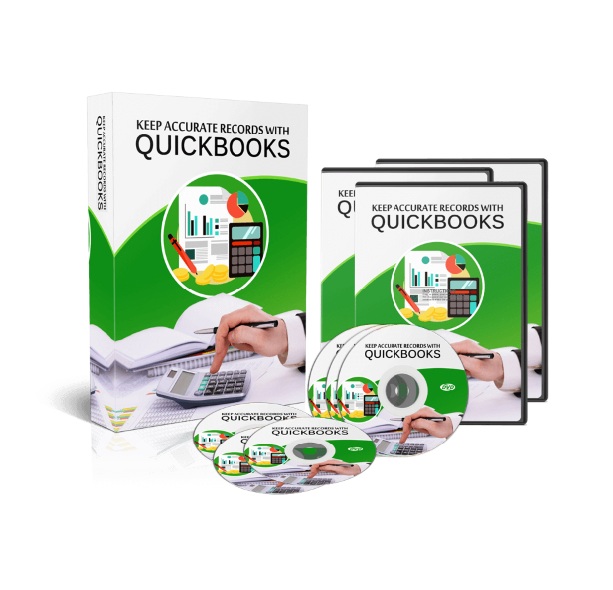
Keep Accurate Records with Quickbooks
Finally! You Can Do It the Easy Way. An Over-the-Shoulder Video Series Showing You How to Keep Accurate Financial Records Using QuickBooks.
Description
Keep Accurate Records with Quickbooks
Contents – PDF Guidebook, Checklist and Marketing Pack
Finally! You Can Do It the Easy Way
An Over-the-Shoulder Video Series Showing You
How to Keep Accurate Financial Records Using QuickBooks
Simplify Your Accounting and Stay in Control of Your Finances
For many people, keeping accurate financial records is a constant source of frustration.
Invoices, expenses, reports, and reconciliations can quickly become overwhelming—especially without the right tools or clear guidance.
But what if there were a reliable system designed specifically to handle this for you?
That’s exactly what QuickBooks was built to do.
A Proven Solution for Small Business Accounting
Used by millions of small businesses, QuickBooks is widely recognised as one of the most trusted accounting platforms available.
It’s designed to be flexible and adaptable across many types of businesses, with versions and features tailored to different industries and needs.
If accurate financial tracking matters to your business, QuickBooks provides a solid foundation to manage it properly.
Why QuickBooks Is So Widely Used
QuickBooks was developed by Intuit to give small and medium-sized businesses access to professional accounting tools—without requiring formal accounting training.
Over the years, it has become a preferred choice because it offers:
-
A stable and reliable accounting system
-
Customisation options to fit different business models
-
Scalable plans as your business grows
-
Comprehensive financial tracking and reporting
-
Wide adoption and professional support
It’s used not only by business owners, but also by accountants, consultants, and finance professionals around the world.
Why Getting Set Up Correctly Matters
QuickBooks is powerful—but like any robust system, it can feel confusing at first.
Without proper setup, many people:
-
Enter data incorrectly
-
Struggle to retrieve records later
-
Create reports that don’t reflect reality
-
Waste time fixing preventable mistakes
Learning how to use QuickBooks properly from the beginning makes a significant difference.
Introducing…
Keep Accurate Records With QuickBooks
Get Rid of Accounting Frustration
With Step-by-Step Video Guidance
This over-the-shoulder video series was created to show you exactly how to use QuickBooks, clearly and practically.
You’ll see:
-
How to navigate the interface
-
How to configure essential settings
-
How to enter and manage financial records
-
How to organise and retrieve data efficiently
-
How to generate clear, useful reports
Everything is explained visually so you can follow along with confidence.
Why This Video Training Works
Instead of guessing or relying on scattered tutorials, you simply:
-
Watch each step as it’s done
-
Understand why settings matter
-
Apply the same process to your own records
In a relatively short amount of focused time, you’ll be able to use QuickBooks with far more clarity and control.
What You’ll Learn Inside the Training
This video series covers:
-
Getting started with QuickBooks
-
Understanding the interface and core features
-
Configuring your settings correctly
-
Creating and managing financial entries
-
Saving and retrieving records efficiently
-
Organising reports for clarity and accuracy
-
Structuring your data for long-term use
And more to help you build a reliable accounting workflow.
Avoid Confusion and Save Time
Many people attempt to figure out accounting software on their own and end up frustrated, wasting time, or second-guessing their data.
This training provides a clear roadmap so you can use QuickBooks confidently and focus on running your business—not wrestling with your books.
Includes Salespage
Master Resell Rights License Agreement
WHAT YOU CAN DO:
● Can be sold
● Can sell resell rights
● Can sell master resell rights
● Can sell/give away the sales materials
● Can be bundled with other paid products
● Can be offered as a bonus for YOUR other paid/free products
● Can give away for free in exchange of leads
● Can be used as content for your website or social media sites
● Can be added to free/paid membership sites
● Can be offered through auction sites
● Can be used as affiliate bonuses to promote other offers
WHAT YOU CAN NOT DO:
❌ Can NOT use our names or brand in any form
❌ Can NOT sell / giveaway PLR
❌ Can NOT hold us accountable for your customers
❌ Can NOT ask us for a refund once you bought it
❌ Can NOT claim full authorship
❌ Can NOT alter any of the graphics



Reviews
There are no reviews yet.